Find a Monster Hunter Outlanders starter account
All accounts have only completed the tutorial, and the beginner banner is still available. Choose your server and browse for the adventurers you want.
How account delivery works by region
- NA / EU and Japan You receive the Outlook email used to sign in and take ownership of the mailbox.
- Asia and Korea The game account is linked to your Google or Garena account.
Account catalogs and illustrated guides
Check more than one catalog for your server. Each catalog has a different selection of accounts. If you don’t find the lineup you want, try another catalog that supports the same server.
Tap any screenshot to enlarge it. Send the server, listing ID, catalog URL and a screenshot when requesting a quote.
NA / EU
NA / EU · 8.217 catalog
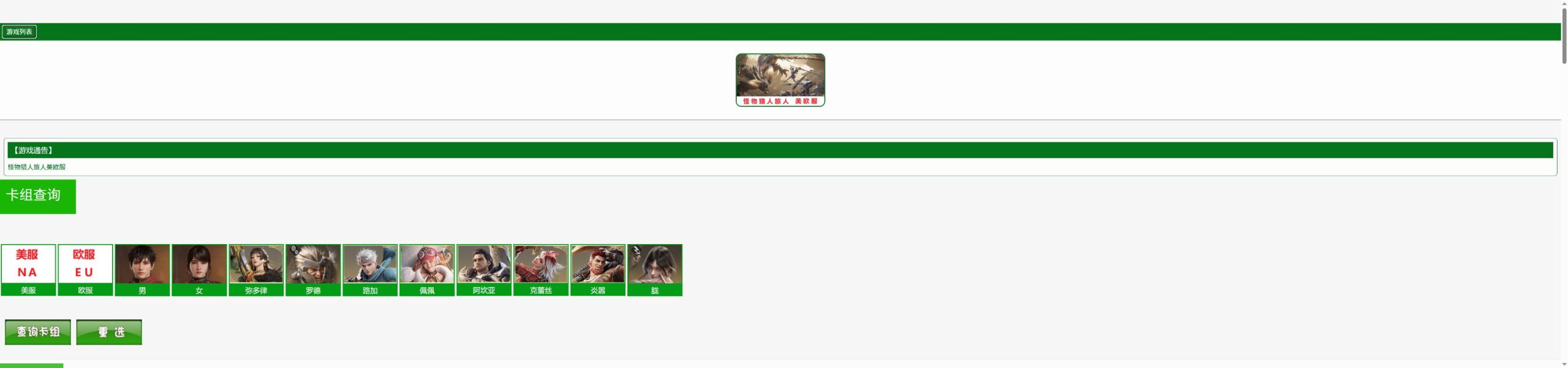
- Tap 美服 (NA) or 欧服 (EU), then tap the adventurer portraits you want.
- Press the green 查询卡组 (Search listings) button below the portraits. 重选 clears your selections.
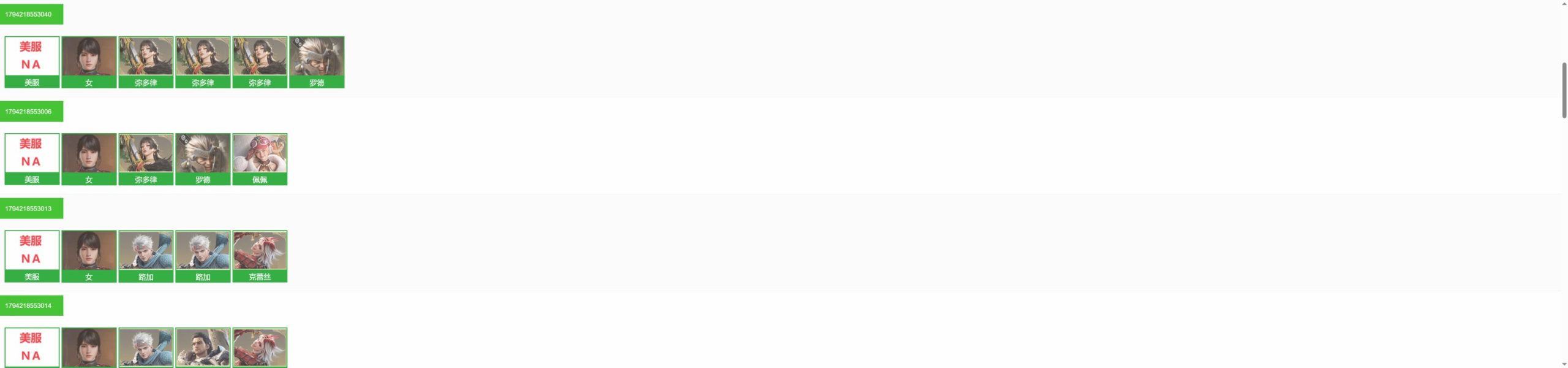
- Check the server badge in the results and save the number in the green label above the lineup.
Japan
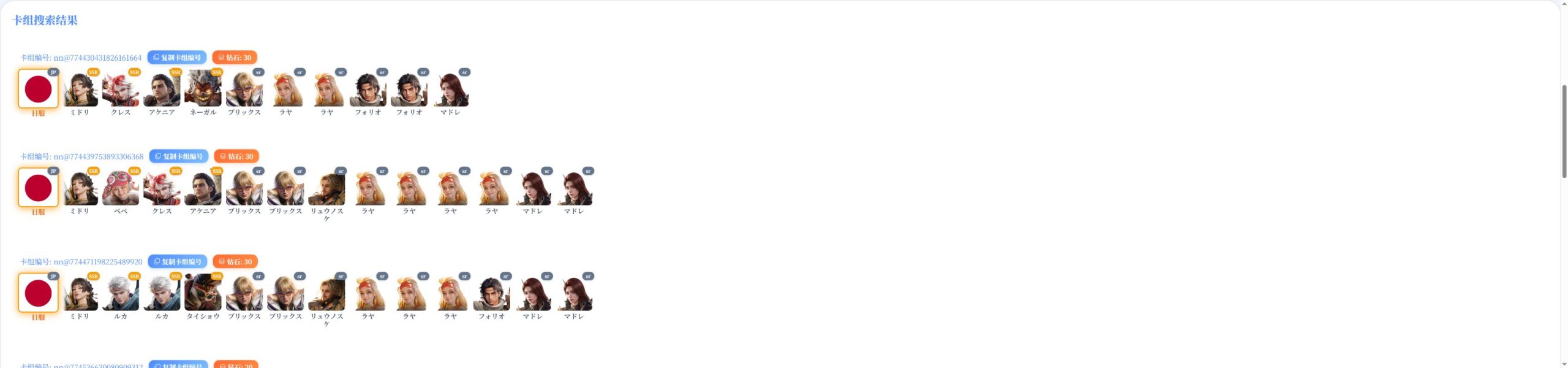
Japan · NNSSR
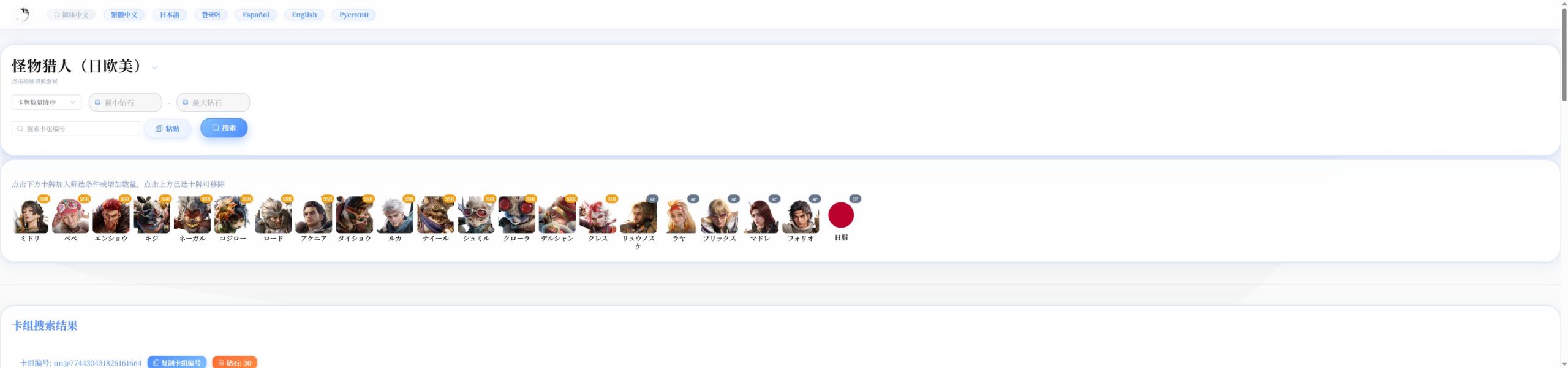
- Choose English at the top if you prefer. Select the Japanese flag card marked 日服 or JP, then choose your adventurers.
- Press 搜索 (Search).
- Check the JP badge and use 复制卡组编号 (Copy listing ID) beside the nn@… code.
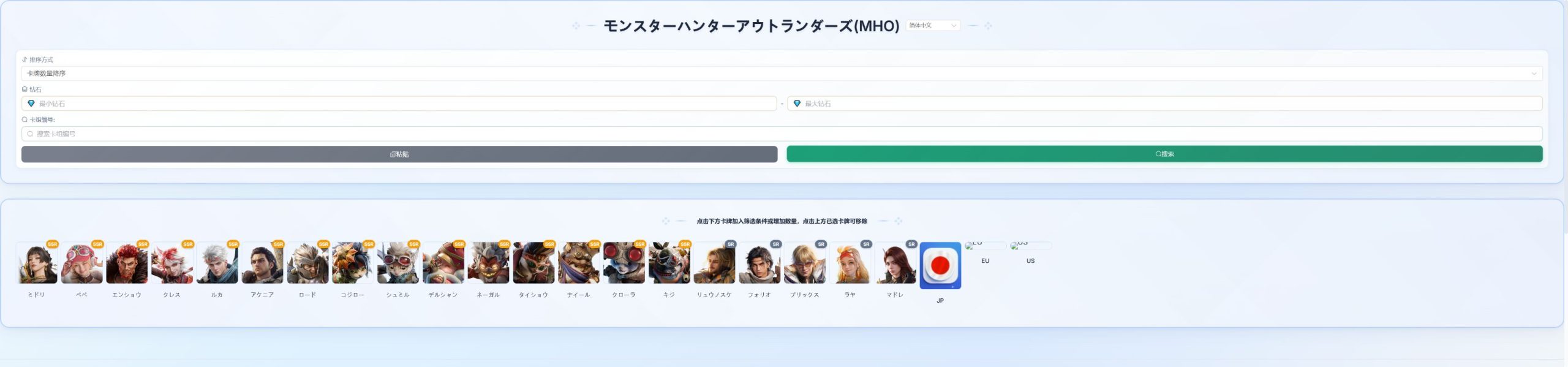
Japan · GameJP
- Select the Japanese flag card marked JP, then add any adventurer filters.
- Press the green 搜索 (Search) button above the cards.
- If the results show 未找到相关卡组 (No matching listings), remove a character filter or try NNSSR or JPGW for Japan. The JP search returned no matches when checked.
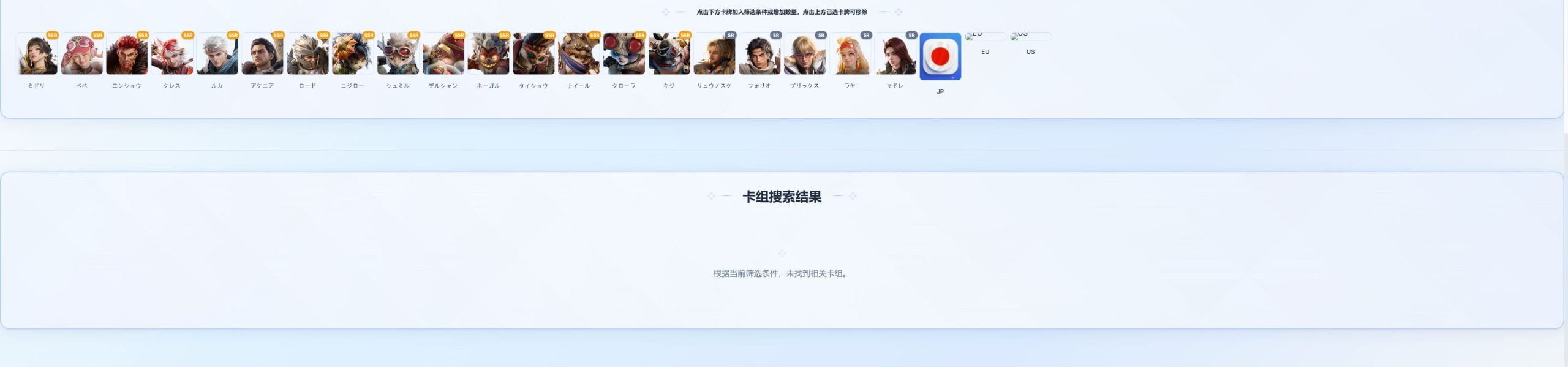
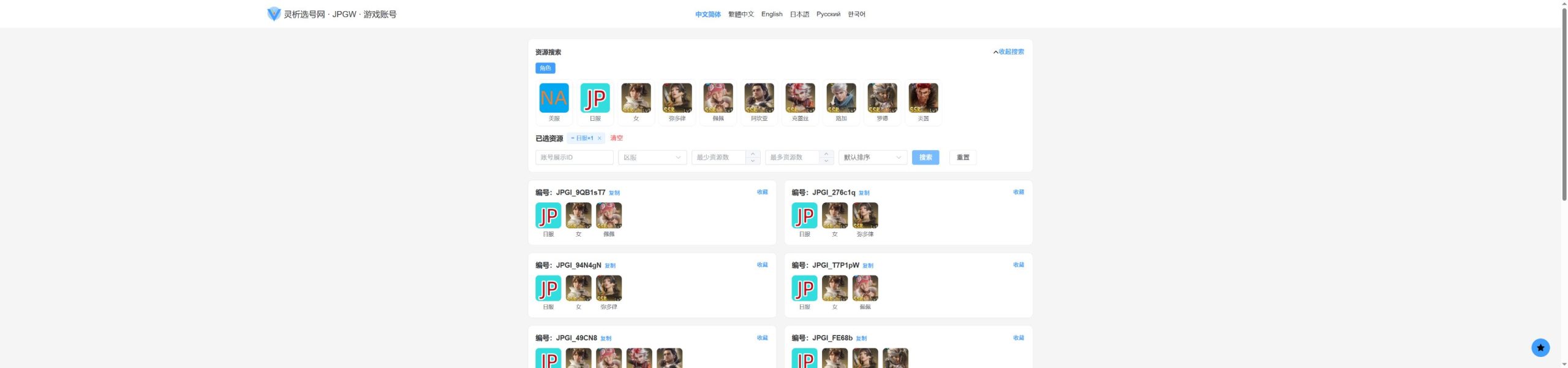
Japan · JPGW
- Tap 日服 (JP) in the resource cards and choose any adventurers you want.
- Press the blue 搜索 (Search) button. Check that the listing shows the JP badge.
- Use 复制 (Copy) beside 编号 to save the listing ID.
Asia / Korea
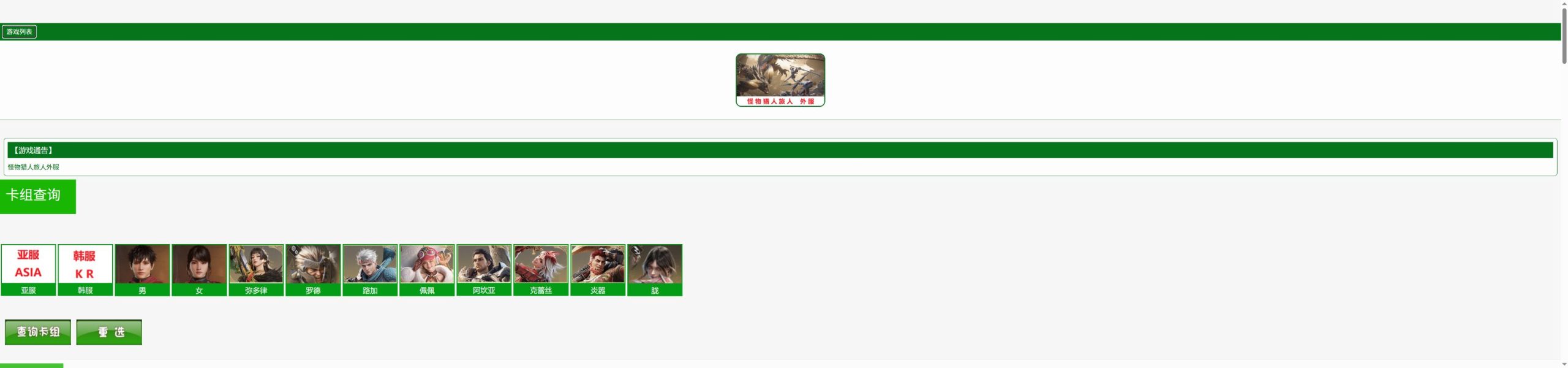
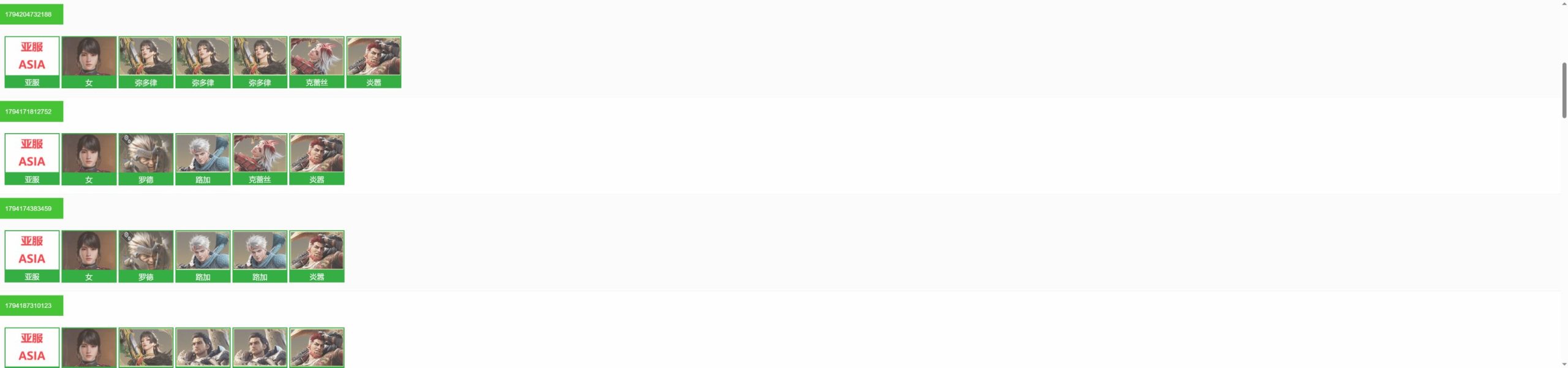
Asia / Korea · 8.217 catalog
- Tap 亚服 (Asia) or 韩服 (Korea), then choose your adventurer portraits.
- Press 查询卡组 (Search listings) below the portraits.
- Match the server badge and save the number in the green label above the lineup.
Asia / Korea · GWLR
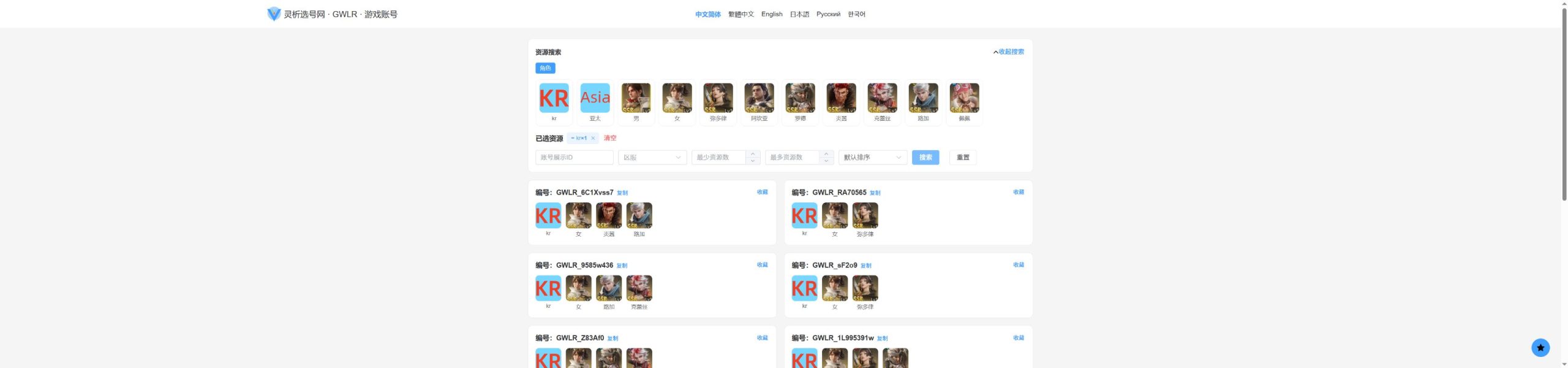
- Tap kr (Korea) or 亚太 (Asia), then choose your adventurers.
- Press the blue 搜索 (Search) button and check the server badge on the result.
- Use 复制 (Copy) next to 编号 to save the listing ID.
How to Buy an Account
- Choose your account and contact me on Discord. Follow the catalog guide, then save the account ID, a screenshot and the catalog URL. Send them to me using the short message below.
- I’ll check availability and give you a quote. I’ll use the details you send to check whether the account is still available. If it is, I’ll tell you the price.
- Accept the quote and I’ll guide you through payment. Some games allow negotiation. If the price doesn’t suit you, share your budget and offer — I’ll consider it.
- Receive your account after payment. I’ll send the account as soon as possible. If it needs email binding or a special delivery process, I’ll guide you through it.
Discord username: alificegame
Legacy username: alifice#6981
Discord user ID: 965137083515666472
Discord Group: discord.gg/uUcxYudv8W
Email: support@alifice.com
Open my profile to add me. You can also use Discord’s Add Friend screen and enter alificegame.
Copy this message
Hi Alifice, I would like this account.
Game version/server: Global or Asia etc.
Catalog URL:
Account ID:
Screenshot:
My country:
Preferred payment method:
Supported Payment Methods
International payments and local wallets. Contact Alifice to confirm the options available for your country.
 PayPal
 Wise
 Skrill
 Binance
 Alipay+
 WeChat Pay
 ShopeePay
 PayNowSingapore
 GCashPhilippines
 Touch 'n GoMalaysia
 NAVER PaySouth Korea
 Kakao PaySouth Korea
 TrueMoneyThailand
 MoMoVietnam
 DANAIndonesia
Payment is arranged after your quote is confirmed. For cryptocurrency, confirm the asset, network and total amount with Alifice before sending.


Only have a credit card? I can help.
There is no direct credit card checkout on this website, but that does not mean you cannot pay by card. If you only have a credit card, contact me and I will guide you through an available payment option.
Don’t use any of the payment methods above? Tell me your country. I’ll help you find a suitable way to pay. For example, I can create an order on a third-party marketplace such as G2G, where available, so you can use one of its supported payment methods. These platforms offer a wider choice of payment options across many countries.
Card logos illustrate possible third-party options, not direct card acceptance on this website. Availability, card acceptance, fees and the final total depend on your country and the selected platform, and will be confirmed before payment.
Delivery Time
Guest accounts that need binding, or accounts with a special setup process, may take a little longer.
You may need to wait longer during busy periods, but delivery will not exceed 24 hours.
Working hours: 8:00 AM–midnight (08:00–24:00), UTC+8.
If I don’t reply immediately, I may be sleeping or busy. Leave your account details and I’ll reply as soon as I can.
Why Customers Trust Alifice
Buyers have praised my fast delivery, helpful communication and patience. Read selected customer feedback on the Reviews page, with links to the original reviews, or browse my full EpicNPC feedback history.
EpicNPC statistics last checked November 4, 2026. This is a dated snapshot; visit EpicNPC for the latest figures.
Read Customer Reviews →